

Alternative to ImageJ for Easy Cell Migration Analysis
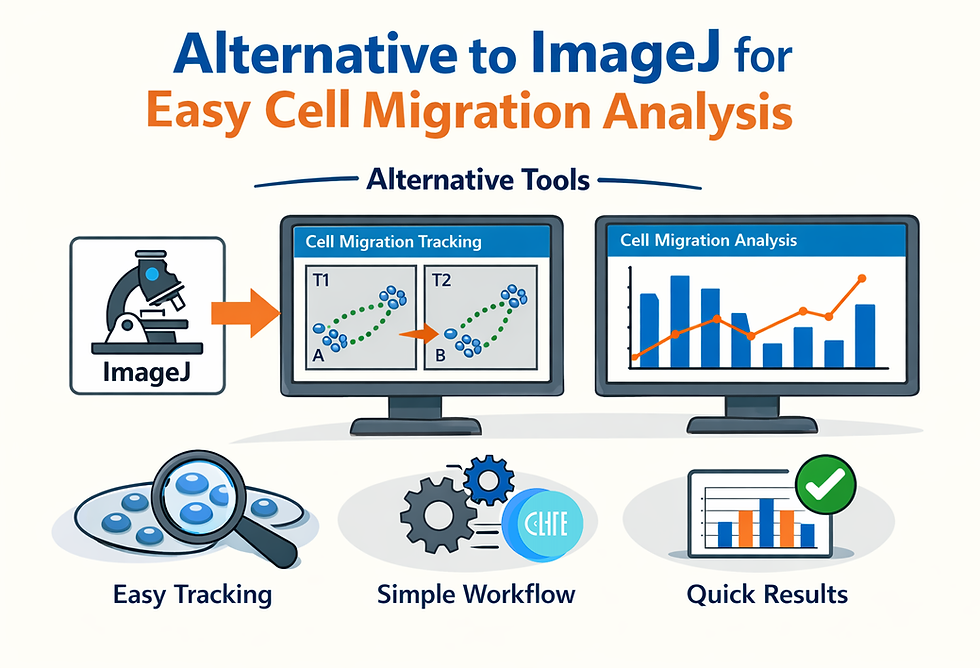
The "scratch" or wound healing assay is gold standard for studying cell migration in cancer research, drug discovery, and tissue engineering. Yet, the cell migration analysis pipeline remains stuck in the past. Researchers spend countless hours fighting with ImageJ plugins, troubleshooting Java script errors, and subjectively deciding where a "cell border" actually begins.
Surely there is a better way?
This guide explores why top biomedical researchers are switching from manual image analysis to Soφ Scratch Assay Analyzer. We will cover the technical breakdown, a head-to-head comparison with ImageJ, and a fool-proof protocol to automate your cell migration analysis today.
The Problem with ImageJ (Fiji) for Cell Migration Analysis
While ImageJ is a powerful, versatile tool, it was not built specifically for high-throughput migration assays. The "standard" workflow is fraught with bottlenecks that kill reproducibility:
Subjective Thresholding: Users must manually define the "threshold" to distinguish cells from the background. A slight change in lighting or a user's fatigue level can drastically skew the calculated wound area.
Irreproducibility: Because of the user dependent nature of the thresholding, two users within the same lab, using the same image, can get different numbers!
Plugin Instability: Popular solutions like the "MRI Wound Healing Tool" or "TrackMate" rely on scripts that often break during Java updates or conflict with other plugins.
Manual Tracking Headaches: For chemotaxis or single-cell velocity, plugins often require manual point-and-click tracking, which is tedious and error-prone.
Steep Learning Curve: New students often struggle to navigate the complex UI, leading to "tribal knowledge" where only one person in the lab knows how to analyze the data correctly.
The Reality: "Manual tracking... is very time consuming and prone to user bias." — Common sentiment in ImageJ forums.
Better Alternative: Soφ Scratch Assay Analyzer
The newest update of Sophie AI represents a total overhaul of the cognitive engine, shifting from simple text-based SOP generation to robust computer vision. The centerpiece is the Soφ Scratch Assay Analyzer, a dedicated tool designed to "see" and interpret microscopy images with human-like intuition but machine-level precision.
Key Technical Innovations
Zero-Click Thresholding: Sophie uses advanced multi-layer algorithm to automatically identify the cell-free area (wound gap) without user input. It handles variations in contrast and cell density that typically confuse standard algorithms.
Batch Processing Power: You can upload up to 100 images per timepoint (T1 and T2) simultaneously. What used to take a week now takes minutes.
Native Integration: Unlike ImageJ, which requires complex plugin management, Sophie is browser-based and natively integrated. No installations, no Java updates, no broken scripts.
Seamless Reporting: The system generates a comprehensive Excel report containing raw measurements (pixels or microns). This data can be fed back into Soφ Chat to calculate percentage closure and migration rates instantly.
Head-to-Head for Cell Migration Analysis: Soφ AI vs. ImageJ
Why make the switch? Here is the technical breakdown of the workflow efficiency.
Feature | ImageJ (Fiji) | Soφ Scratch Assay Analyzer |
Setup Time | High (Install software, find/debug plugins) | Zero (Browser-based, instant access) |
Thresholding | Manual/Semi-auto (High User Bias) | AI-Automated (Zero-Click, Standardized) |
Throughput | 5-10 minutes per image | <10 seconds per image |
Reproducibility | Low (Varies by user settings) | High (Standardized AI Model) |
Data Output | Raw CSV (Requires manual compiling) | Formatted Excel (Ready for Stats) |
Troubleshooting | Scouring forums for script fixes | Interactive AI Chat (Instant SOPs & Fixes) |
The Verdict: While ImageJ is excellent for custom, one-off image manipulation, Sophie AI is the superior choice for standardized, high-throughput Cell Migration Analysis.
Step-by-Step Protocol: Automating Your Analysis with Sophie
Follow this standardized protocol to ensure publication-quality data.
Phase 1: Image Acquisition
Perform the Scratch Assay: Use a standard P200 pipette tip or a specialized tool like CytCut to create uniform wounds in your cell monolayer.
Capture Images: Take photos at T0 (Initial) and T-Final (e.g., 24h) using a standard light microscope. Ensure consistent magnification (e.g., 4x or 10x).
Phase 2: AI Analysis
Access the Tool: Navigate to the Soφ Scratch Analyzer located in the top-left corner of the Sophie Chat UI portal.
Drag and Drop:
Drag your T0 (Initial) images into the first upload bucket.
Drag your T-Final images into the second bucket.
Run Analysis: Click "Start Analysis." Sophie’s vision models will scan the images, detecting cell borders and calculating the gap area in seconds.
Phase 3: Data Interpretation
Export Data: Download the generated Excel report. This contains the specific area measurements for every image.
Calculate Statistics:
Option A (Manual): Use the formula: Closure % = [(Area_T0 - Area_Final) / Area_T0] x 100
Option B (Automated): Simply feed the Excel data back into Soφ Chat. Ask it to "Do full cell migration analysis and calculate percentage closure." It will perform the statistical analysis and even suggest figure formatting.
Troubleshooting Your Assay with Sophie Chat
Even the best analysis tools can't fix a bad experiment. If your assay fails—for example, if the cell monolayer peels off or cells stop migrating due to senescence—Sophie AI 3.0 acts as a trouble-shooting partner.
Scenario: Your "scratch" looks jagged or cells are detaching.
Solution: Type your observation into Soφ Chat.
Result: Sophie cross-references millions of data points from SOPs and literature to diagnose the issue (e.g., "pipette pressure too high" or "ECM coating failure") and provides a corrected recipe for your next attempt.
Also if you create an account you can retain your "Chat History" allowing you to save these troubleshooting logs and SOPs, creating a permanent digital lab notebook.
Conclusion: Easier Cell Migration Analysis
The era of manual cell counting and thresholding is over. By switching to Soφ Scratch Assay Analyzer, you remove the bottleneck of data analysis, allowing you to focus on the biological insights rather than the pixel counting.
Ready to modernize your lab?
Go to the Sophie AI portal today, create a free account, and upload your first batch of scratch assay images to test the "Zero-Click" thresholding yourself.


